
 AI Services
This article introduces AI service integration in the Zadig system.
Main application scenarios:
- AI Performance Diagnosis
- AI Environmental Inspection
- AI Pilot
# DeepSeek
- Complete registration on DeepSeek, generate API Key(opens new window), create a new API Key, and copy it.
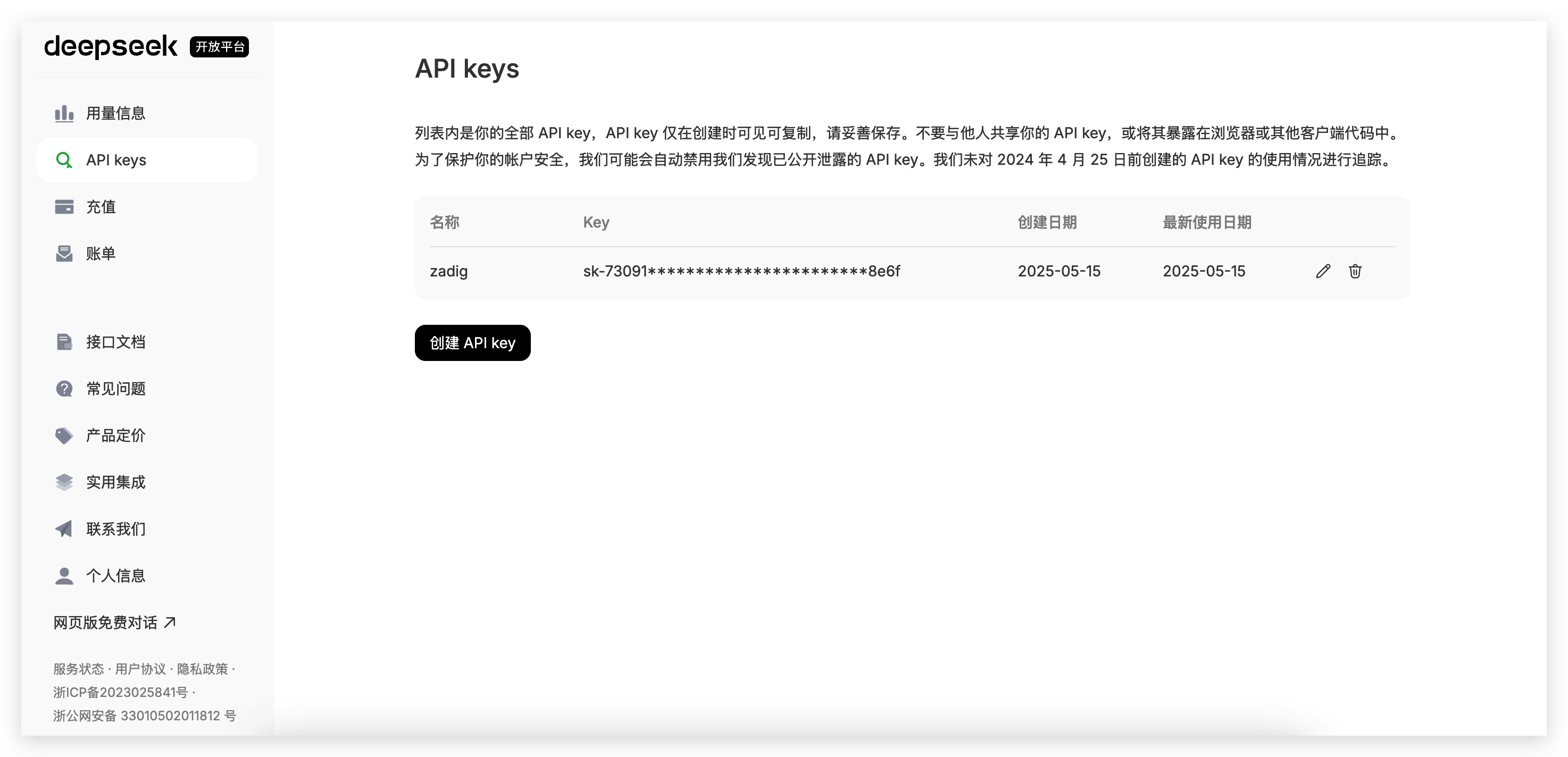
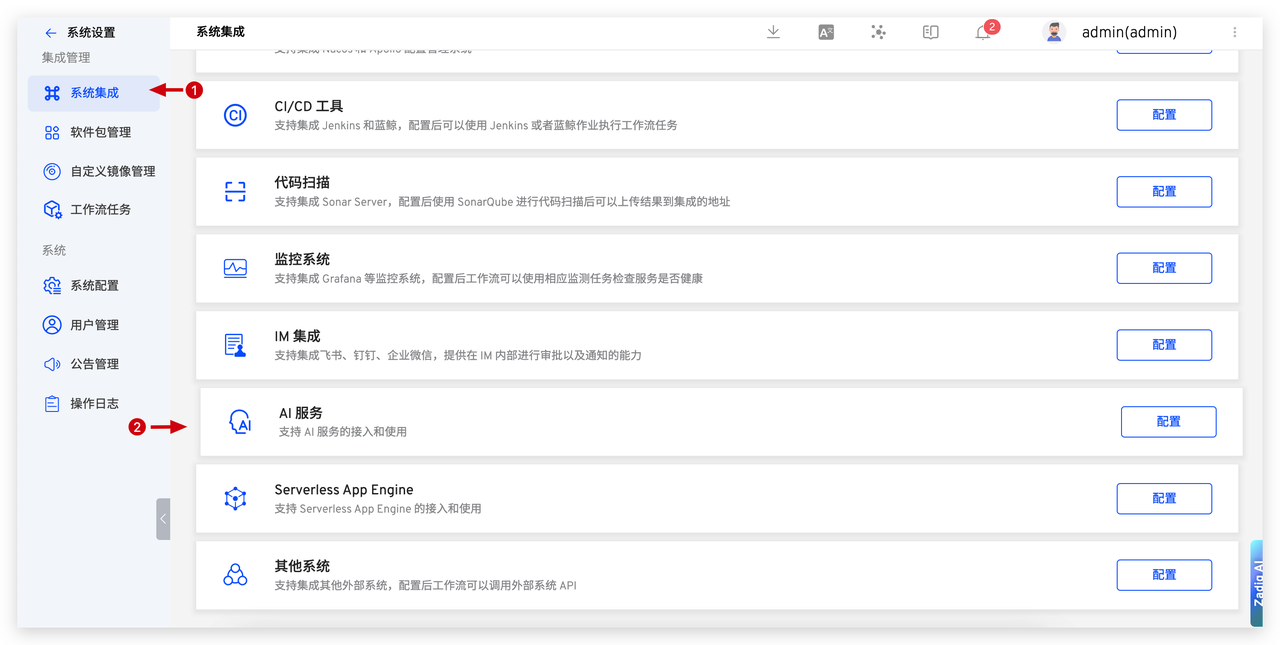
- In Zadig, go to
System Settings->Integrations->AI Service, and add the DeepSeek AI service.
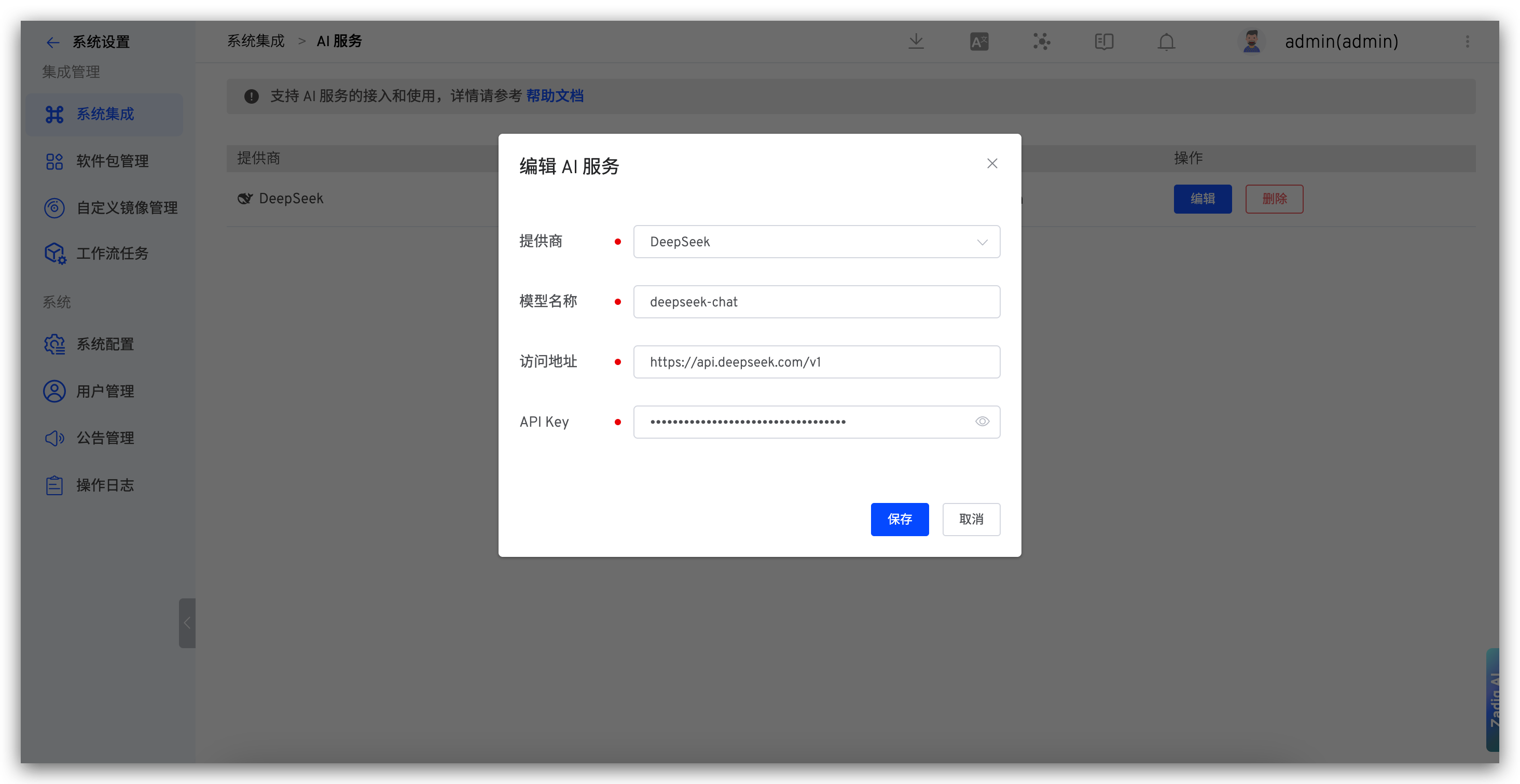
Parameter Description:
- Provider: Select DeepSeek
- Model Name: Enter the model provided by DeepSeek
- Address: https://api.deepseek.com/v1
- API Key: The API Key obtained in the previous step
# SiliconFlow
- Complete registration on SiliconFlow, generate API Key(opens new window), create a new API Key, and copy it.
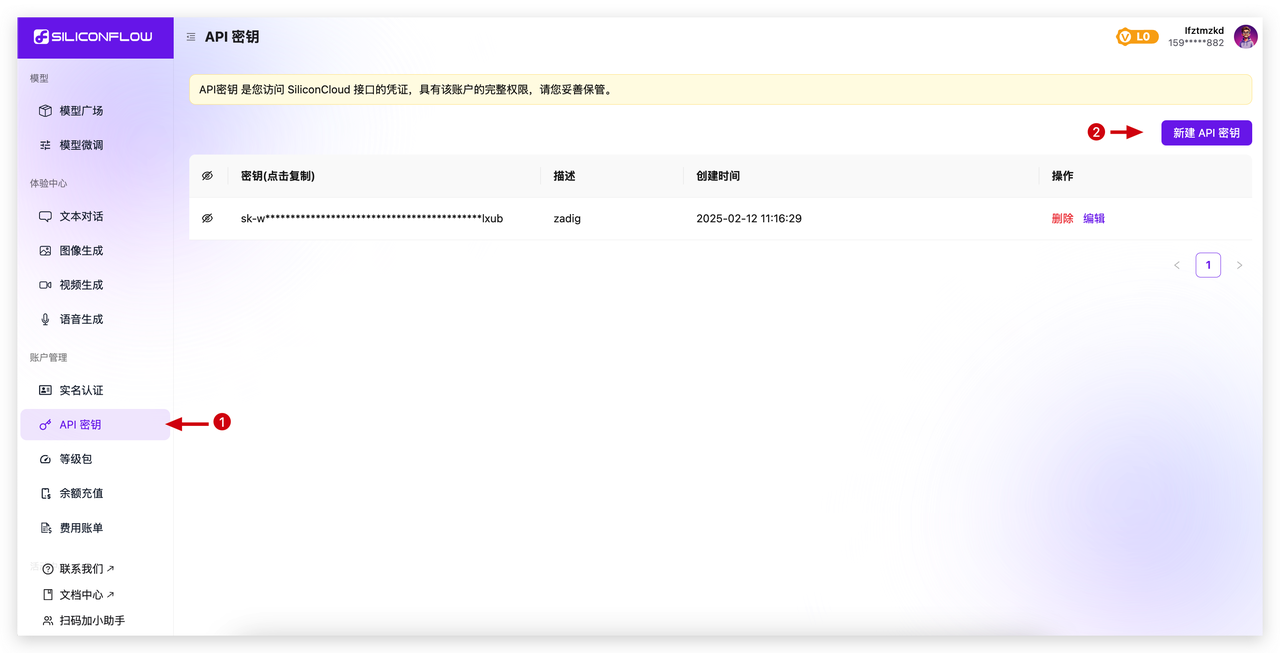
- In Zadig, go to
System Settings->Integrations->AI Service, and add the AI service.
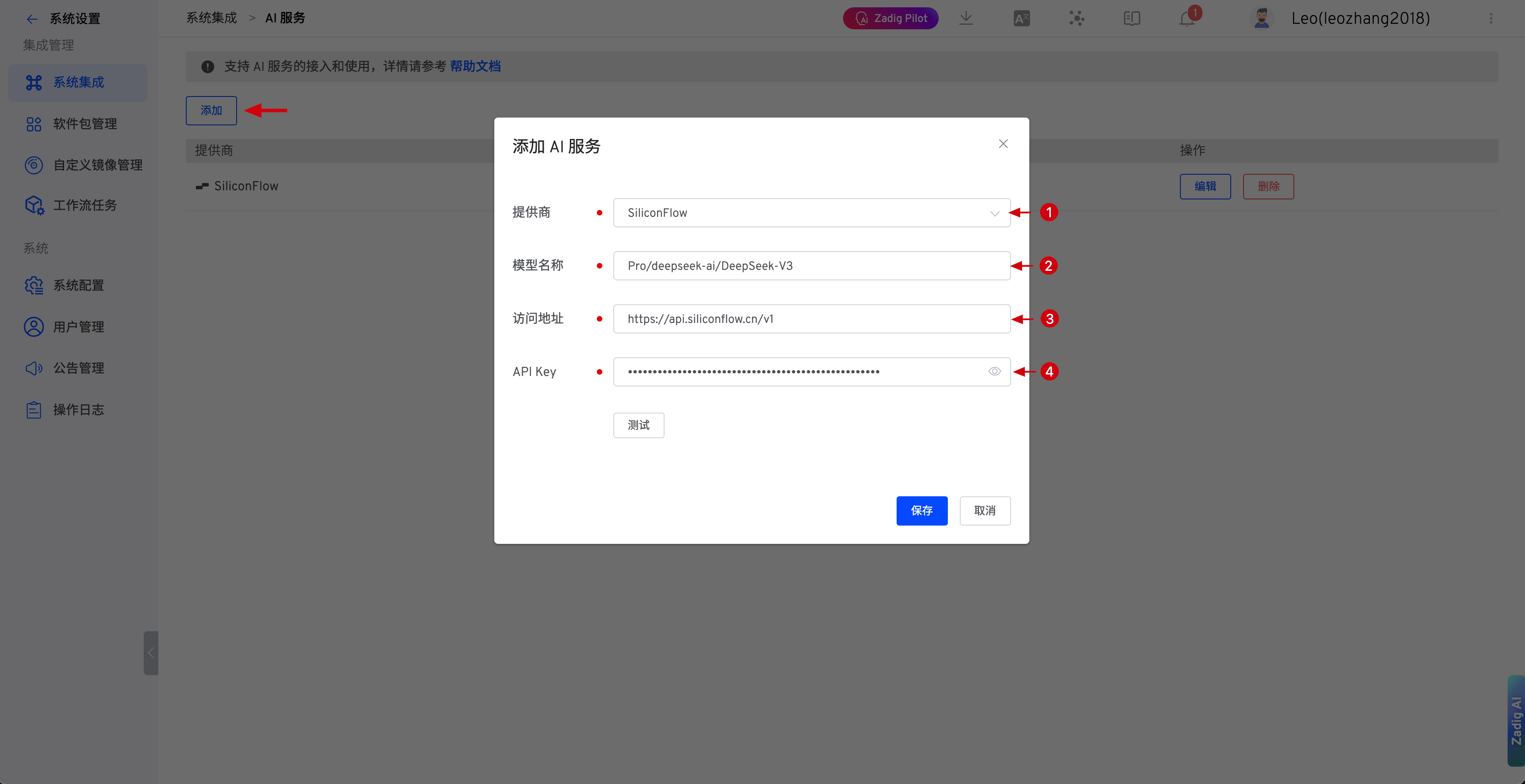
Parameter Description:
- Provider: Select SiliconFlow
- Model Name: Enter the model provided by SiliconFlow
- Address: https://api.siliconflow.cn/v1
- API Key: The API Key obtained in the previous step
# Huawei ModelArts Studio
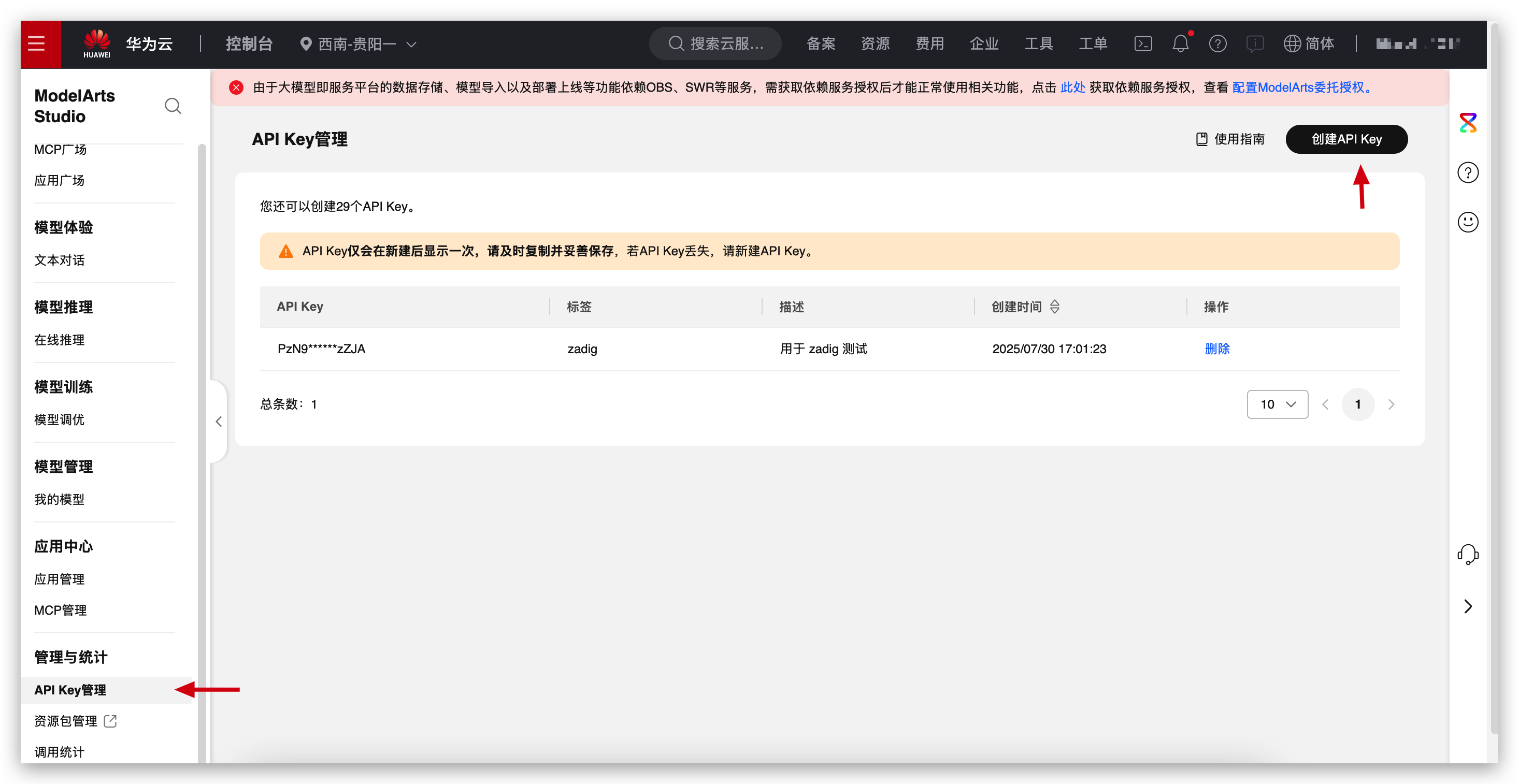
- Complete registration on Huawei ModelArts Studio(opens new window), generate API Key, create a new API Key, and copy it.
- In Zadig, go to
System Settings->Integrations->AI Service, and add the Huawei ModelArts Studio AI service.
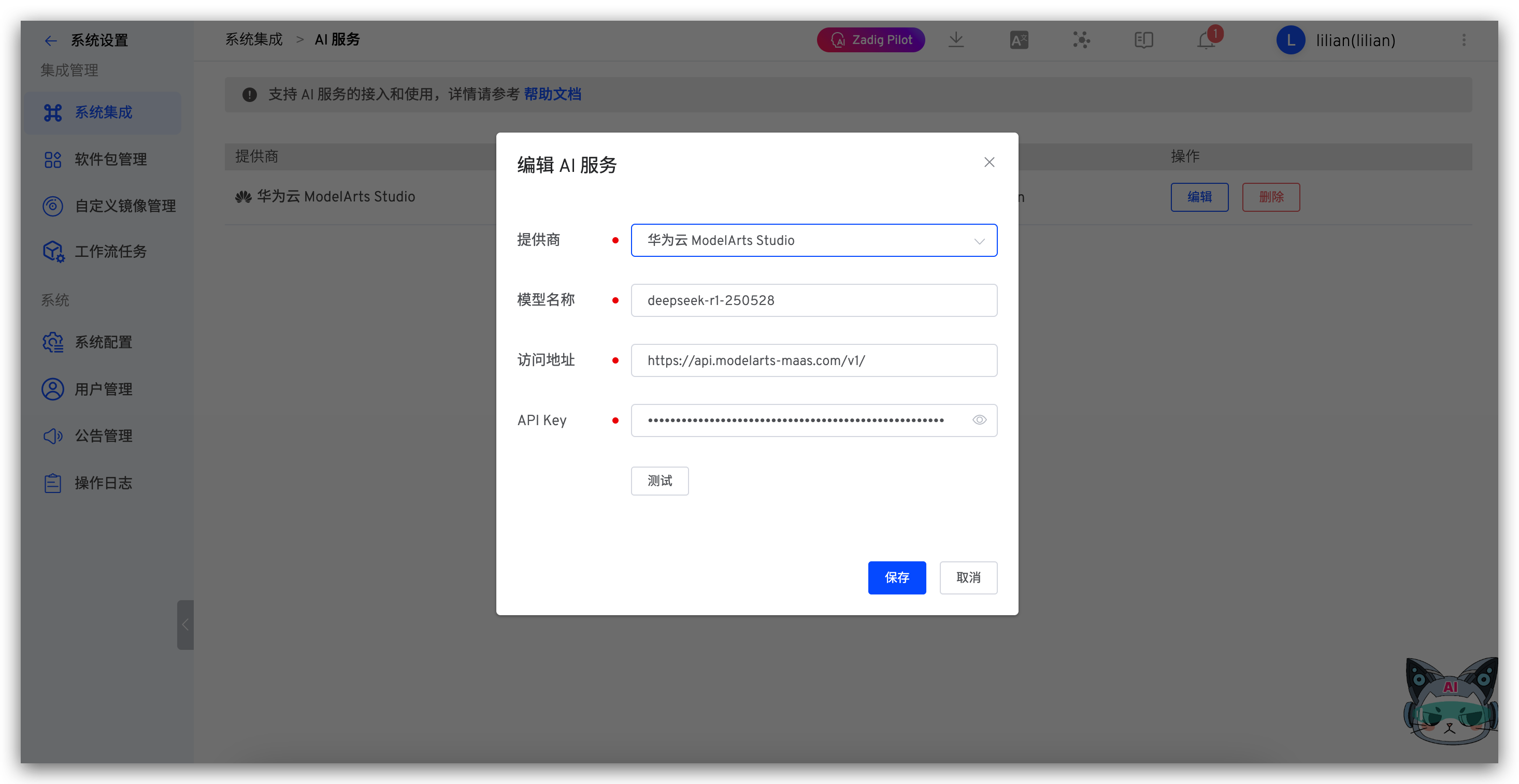
Parameter Description:
- Provider: Select Huawei ModelArts Studio
- Model Name: Enter the model provided by Huawei ModelArts Studio, such as
deepseek-r1-250528 - Address: https://api.modelarts-maas.com/v1/
- API Key: The API Key obtained in the previous step
# Volcengine Ark
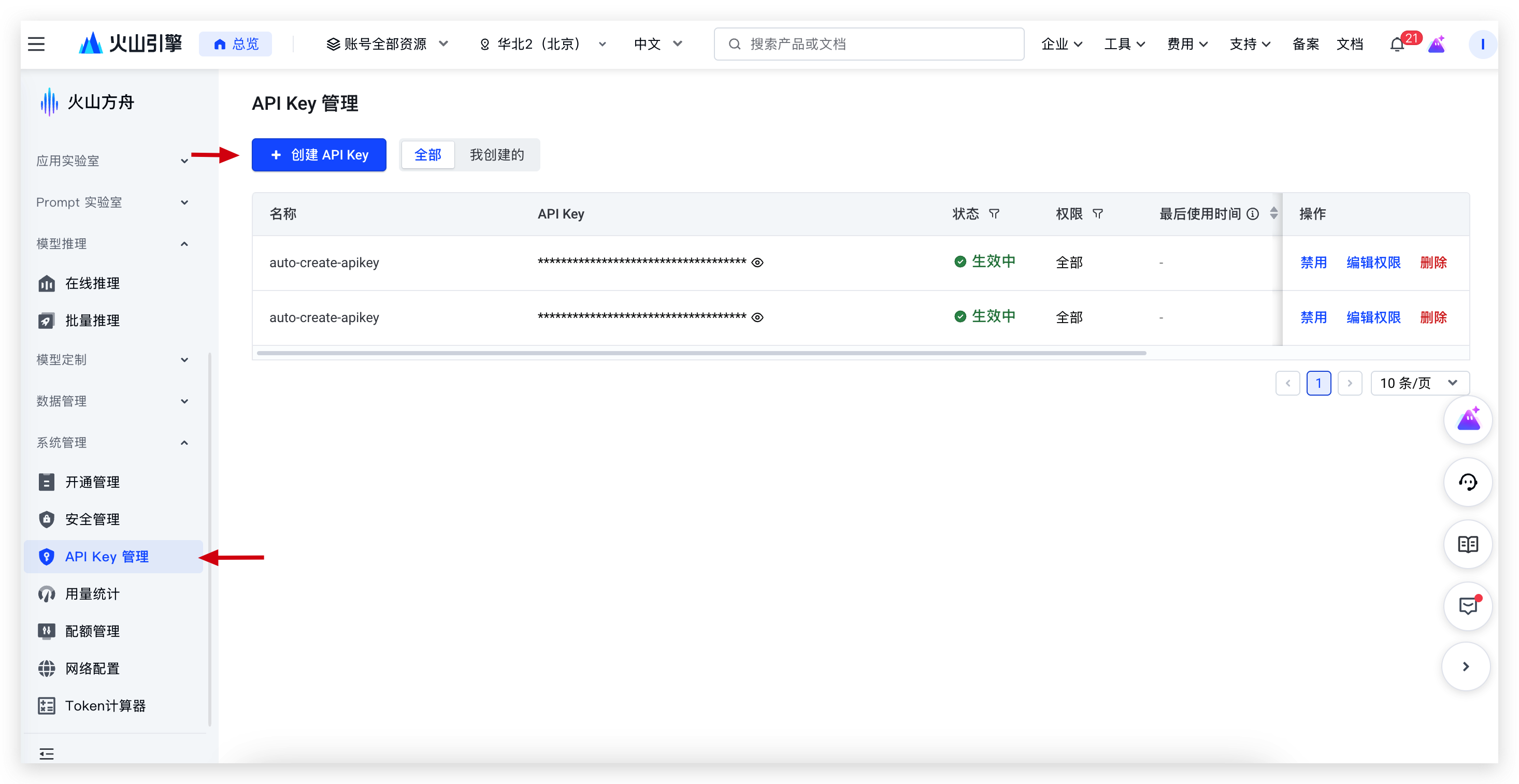
- Complete registration on Volcengine Ark, generate API Key(opens new window), create a new API Key, and copy it.
- In Zadig, go to
System Settings->Integrations->AI Service, and add the Volcengine Ark AI service.
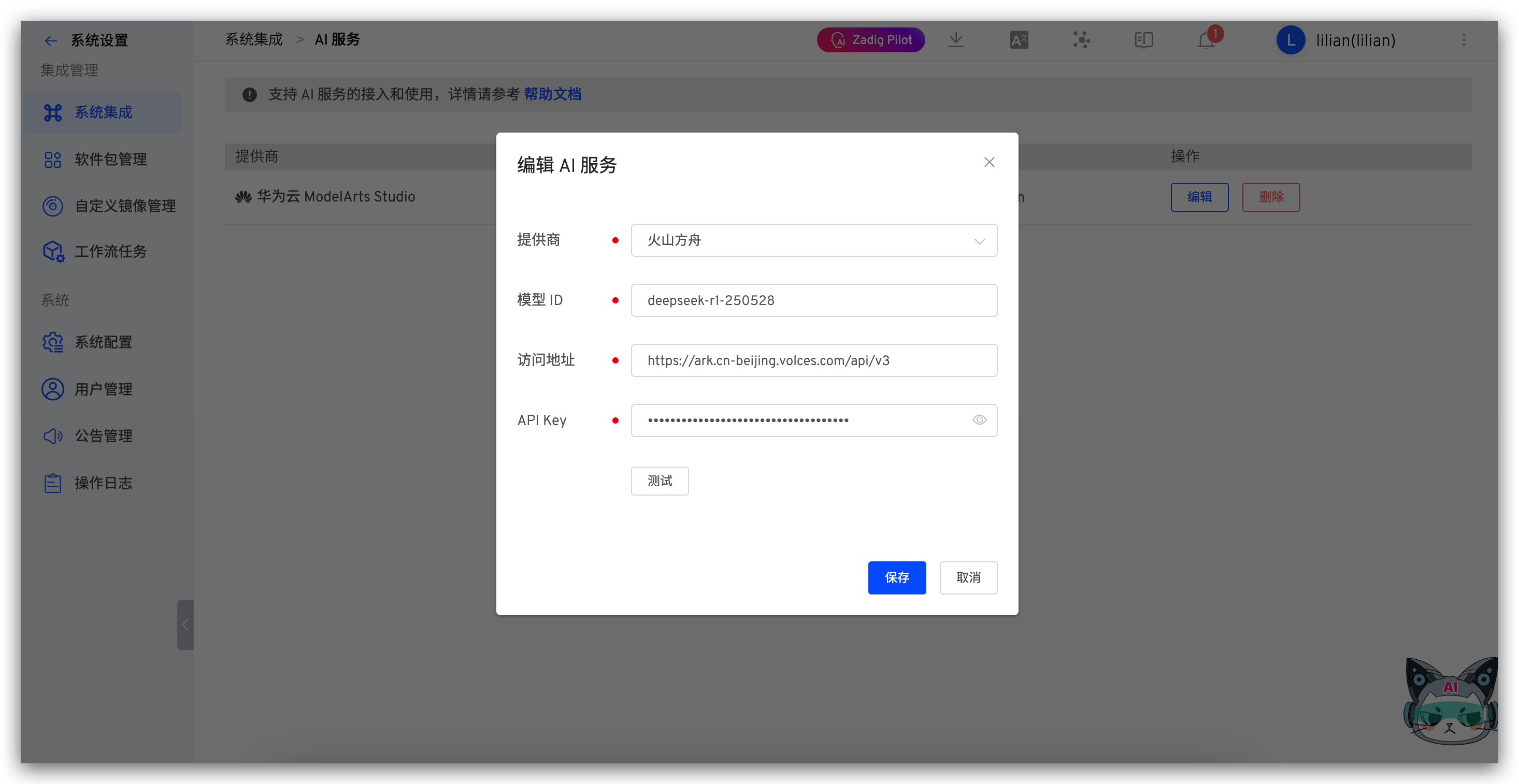
Parameter Description:
- Provider: Select Volcengine Ark
- Model ID: Enter the model ID provided by Volcengine Ark, such as
deepseek-r1-250528 - Address: https://ark.cn-beijing.volces.com/api/v3
- API Key: The API Key obtained in the previous step
# Aliyun Bailian
- Complete registration on Aliyun Bailian, generate API Key(opens new window), create a new API Key, and copy it.
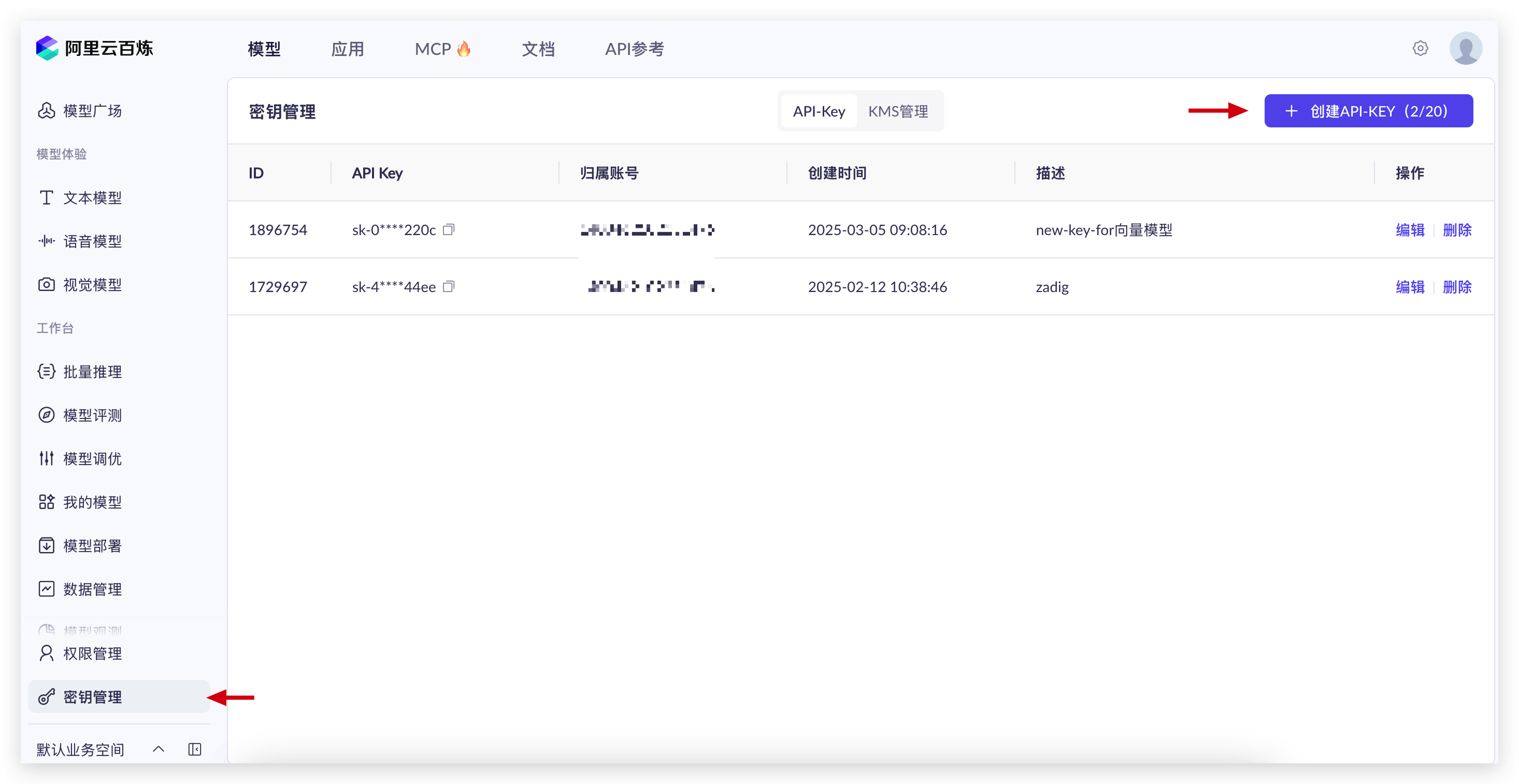
- In Zadig, go to
System Settings->Integrations->AI Service, and add the Aliyun Bailian AI service.
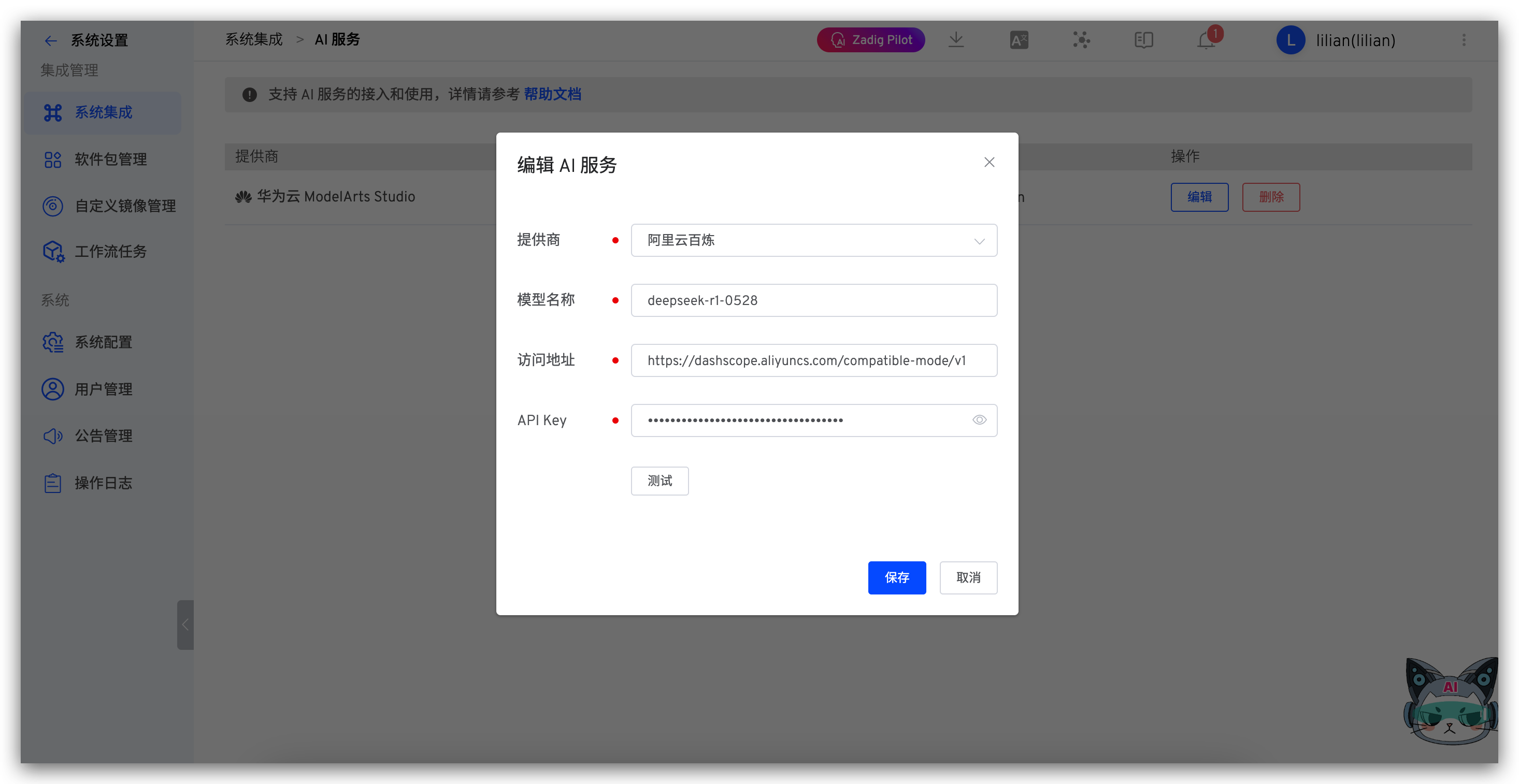
Parameter Description:
- Provider: Select Aliyun Bailian
- Model Name: Enter the model provided by Aliyun Bailian, such as
deepseek-r1-0528 - Address: https://dashscope.aliyuncs.com/compatible-mode/v1
- API Key: The API Key obtained in the previous step

